Track website visits from Google Business Profile.
Use a tagged website link to distinguish visits through that link from other traffic. This measures the link visitors followed; it does not reveal an individual person's search phrase or prove that the profile caused a sale.
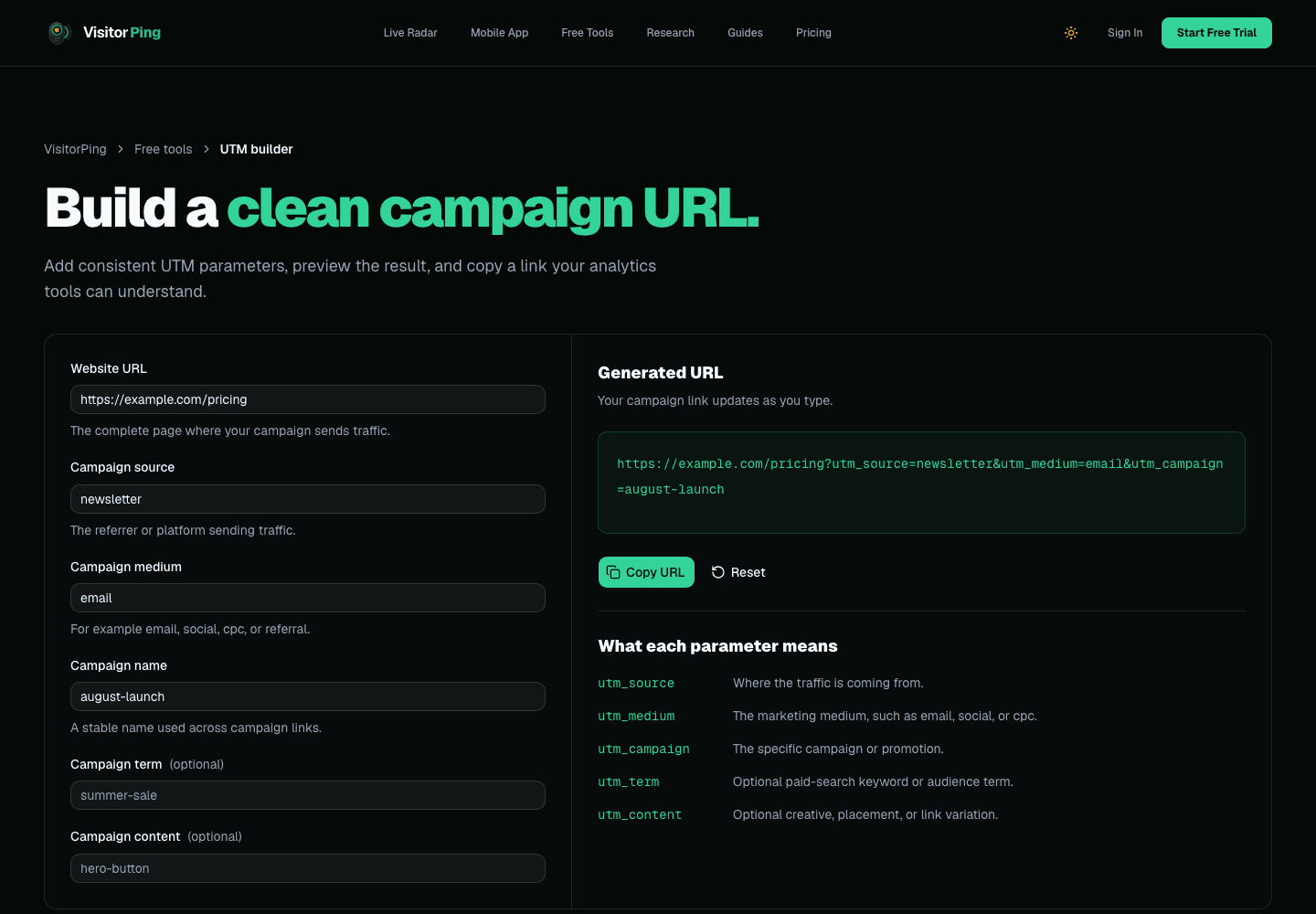
1. Build a consistent link
Open the UTM builder and enter the published page that should receive visitors. Use a consistent source, medium, and campaign; for example source=google, medium=organic, campaign=business_profile. Do not put personal information into tracking parameters.
Example: https://example.com/services?utm_source=google&utm_medium=organic&utm_campaign=business_profile. Keep this campaign distinct from other links you distribute.
2. Set the link and test its destination
If you manage the Business Profile, use its current profile editor to update the appropriate website link. Availability and review behavior can vary. Confirm the published profile points to the intended page.
Follow the link and check that redirects preserve the UTM parameters. A redirect that removes the parameters can make campaign attribution disappear even though the page loads.
3. Inspect one test visit
With tracking installed, open the tagged URL and look for the matching campaign in VisitorPing. Label your test in your notes so it is not counted as a customer acquisition.
Then compare human visits and configured conversions over a consistent period. A form submission or booking action must be configured and verified before treating it as a conversion.
Interpret the result carefully
The same URL can be copied and shared elsewhere, so its tag is not independent proof that someone used Google Maps. Missing referrers, blockers, and removed parameters also limit attribution.
Use tagged-link reporting alongside Business Profile reporting and actual enquiries. These systems measure different things and their totals may differ.
Find what is costing you search clicks, then watch the fix work.
VisitorPing reads your own Search Console data for the pages losing clicks, then rings your phone the moment someone lands on your website.